
Let it pick for you
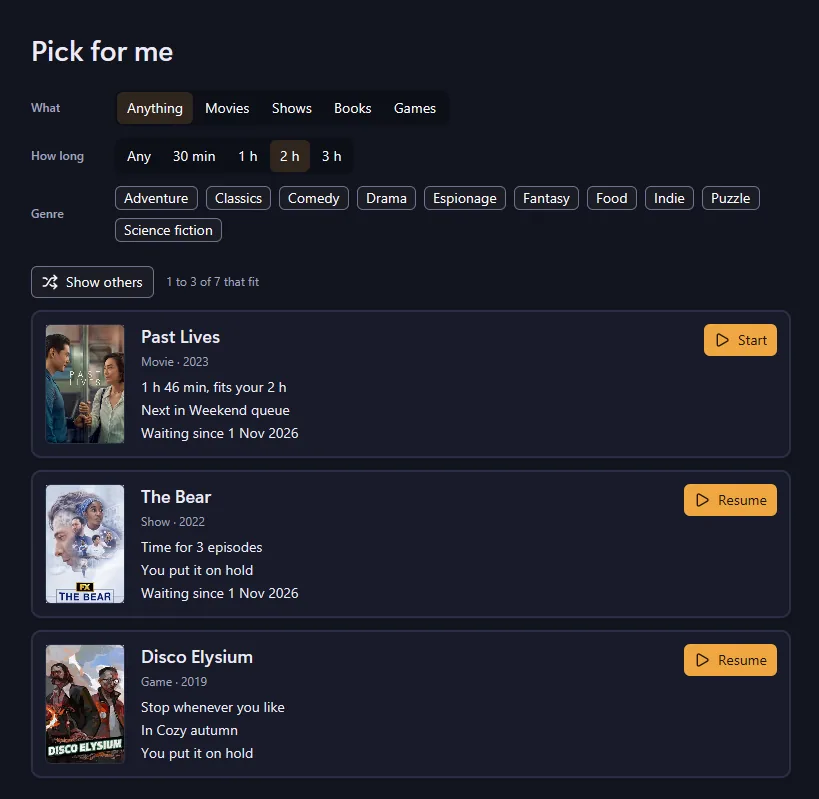
Say what you feel like and how long you have. Pick for me suggests three things from your own library, with the reasons: it fits your two hours, it is next in a list, or you put it on hold.
Movies, shows, books and games in one calm library that lives on your computer. No account, no feed, nothing to rate.
Free, for Windows 11, under 10 MB.
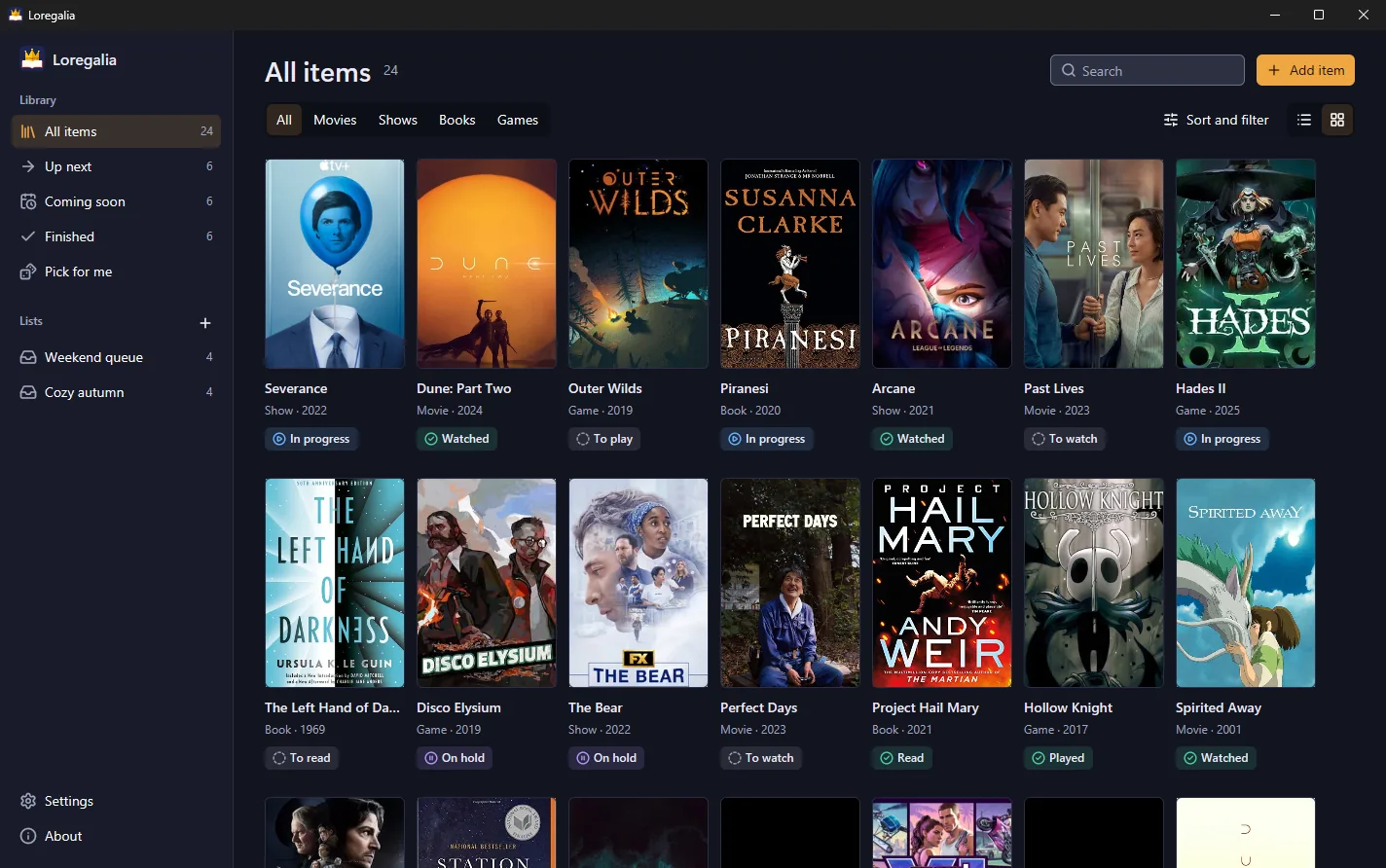
Your watchlist, your reading list and the games you meant to play, in one place. Loregalia helps you choose what to start, keeps what is in progress in front of you, and remembers what you finished.
Say what you feel like and how long you have. Pick for me suggests three things from your own library, with the reasons: it fits your two hours, it is next in a list, or you put it on hold.
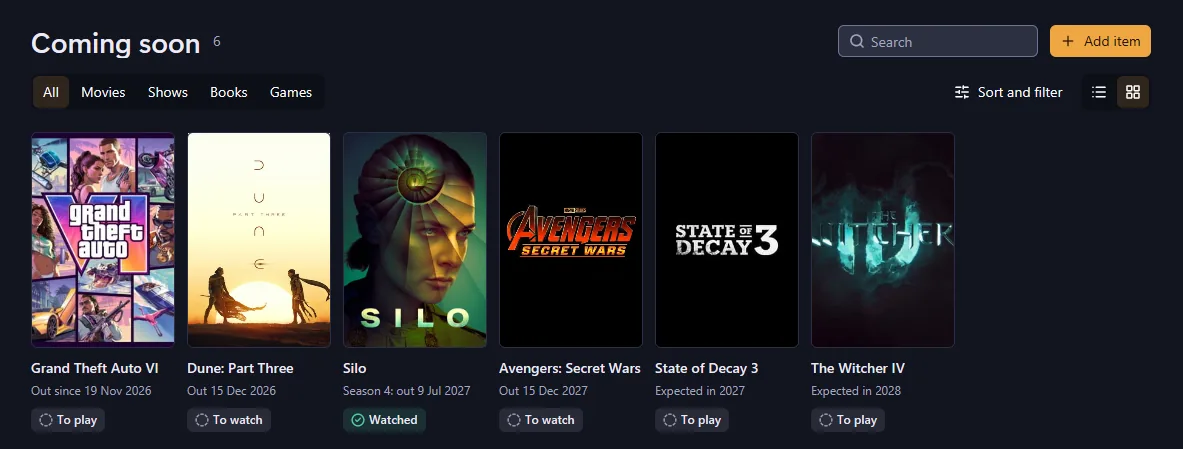
Coming soon gathers the games, movies and shows you are waiting for, and new seasons of what you watch, with their dates. No notifications.
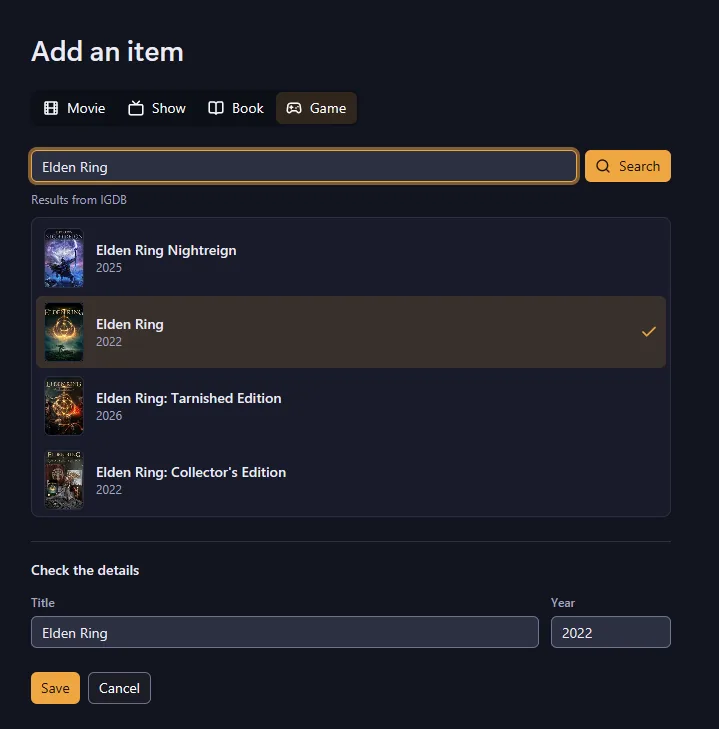
Type a title and pick the match. Covers, synopses, length and release dates come from TVmaze, TMDB, Open Library and IGDB, with no account or API keys. You can also type anything in by hand.
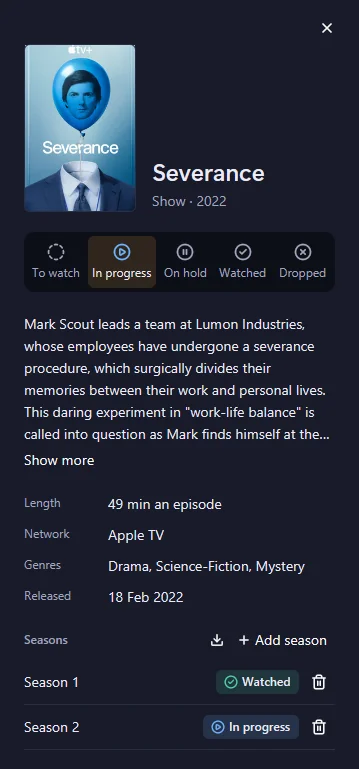
Statuses read naturally for each kind: To watch, To read, To play, In progress, On hold. Shows split into seasons, so you can finish season one and leave season two for later.
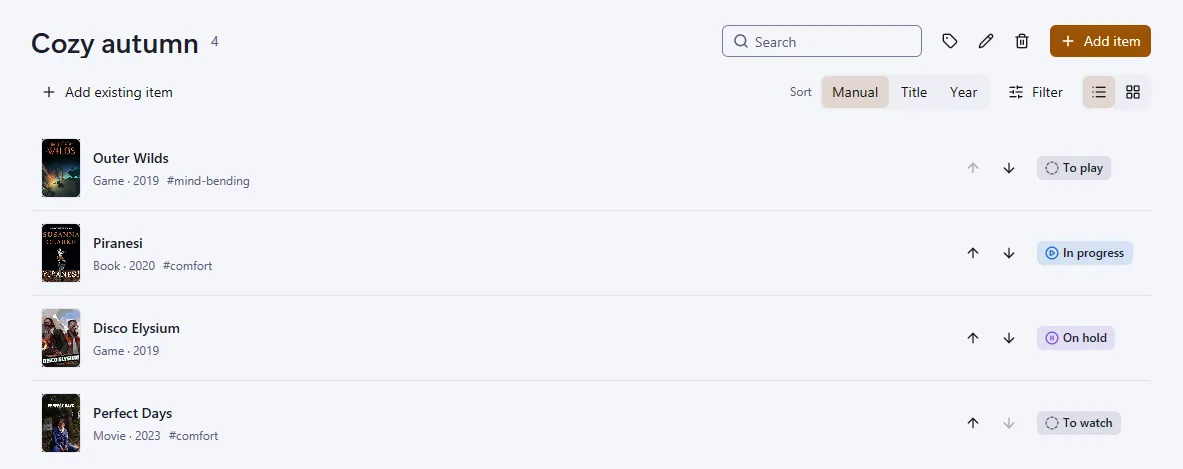
Make lists like Weekend queue or Cozy autumn, in the order you want, and put an item in as many as you like. Tag anything with your own labels, then filter by them.
Free, and every feature stays free.
The installer needs no administrator rights. A portable zip is on the same page.
The builds are not code-signed yet, so Windows SmartScreen may warn about an unknown publisher. Choose More info, then Run anyway. Each release lists SHA-256 checksums if you want to check your download.
Loregalia has no ads and no paid tier. If it is useful to you, you can buy me a coffee.